Agent WorldDownload

Your agents, at their desks

Run your coding agents from one pixel-art office. Each agent has its own git branch and a real Claude Code or Antigravity session. You see who is thinking, running or waiting for you, and step in from the office.

Download for MacInstall notes

brew tap hodkep/tap && brew trust --cask hodkep/tap/agent-world && brew install --cask hodkep/tap/agent-world
Homebrew 6 and later asks you to trust a third-party tap, once on each Mac. Why

v0.9.4 · macOS · Apache 2.0

Why it is different

Control over spectacle

Every visual state maps to a real agent state you can act on.

Own the session

The app launches and hooks the agents it shows. Your claude stays unmodified, and nothing global is changed.

Never lose work

Uncommitted changes block removal. Nothing is deleted silently.

See it work

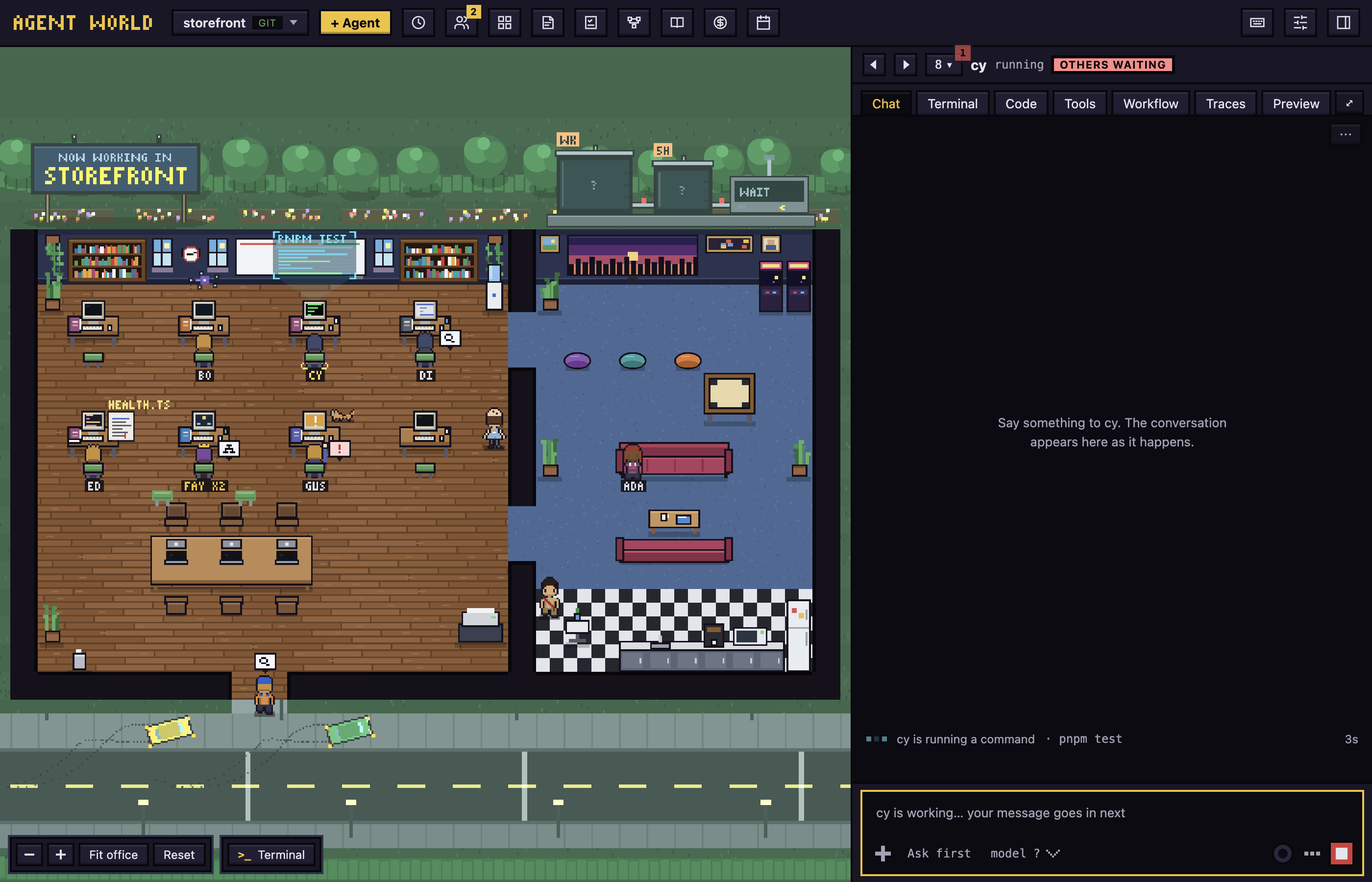
The office with eight agents, one in each activity

The office

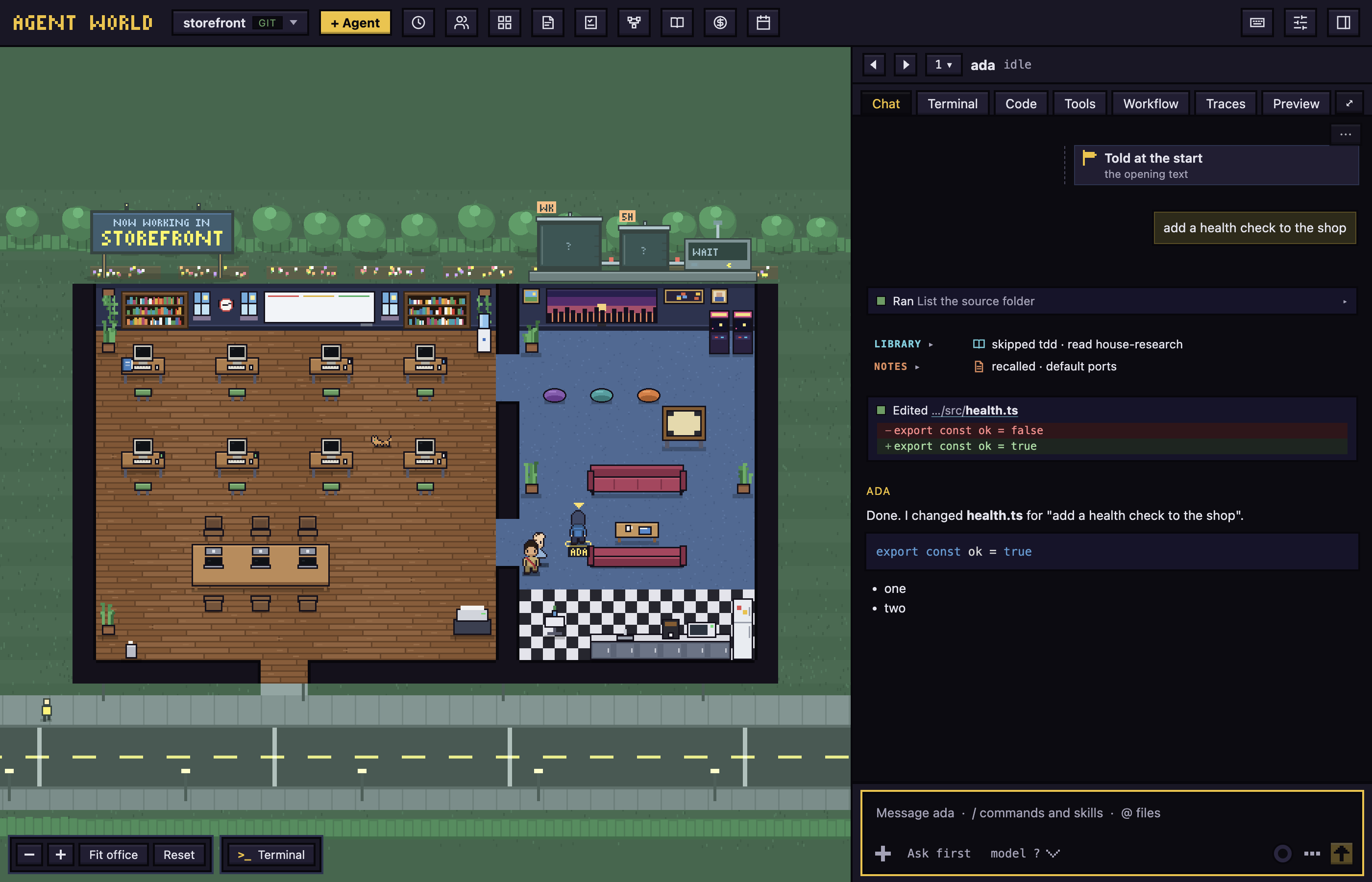
Each character does what its agent does: thinking, researching, implementing, running, delegating or waiting. Click one to open its chat.

The office guide

Chat, code, workflows

Tool cards, edits as diffs, a Code tab for changes and history, and workflows with plan and review gates.

Chat and dialogs
A chat with a command, the office's own calls as rows, an edit as a diff, and the reply
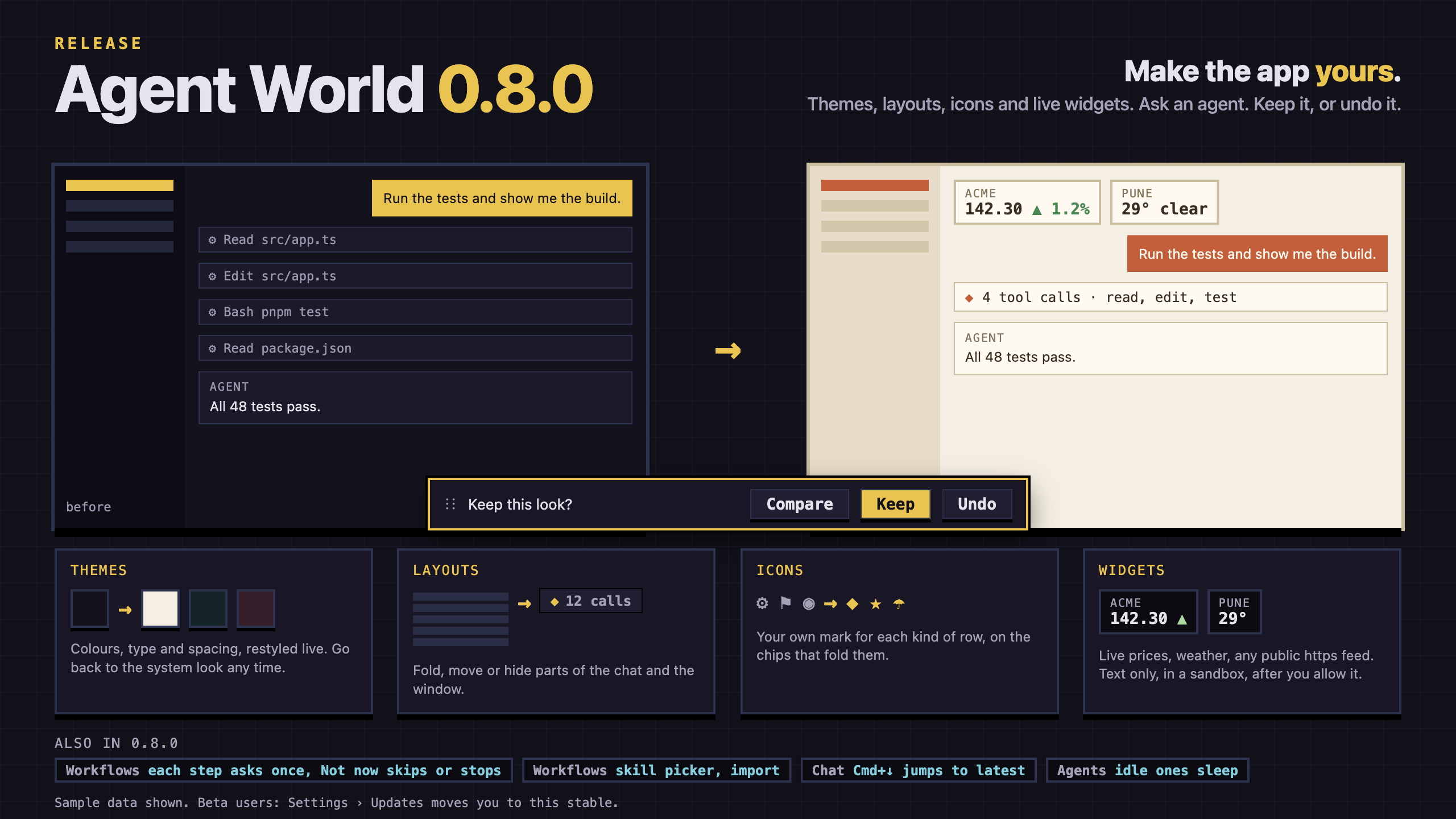
The same chat in the system look and restyled, with the Keep and Undo bar between them, and cards for themes, layouts, icons and widgets

Make it yours

Ask an agent to restyle the app: themes, layouts and icons, and little widgets that show live data such as a price or the weather. You keep it, or undo it.

Customize the look

One day in the office

01

Hire

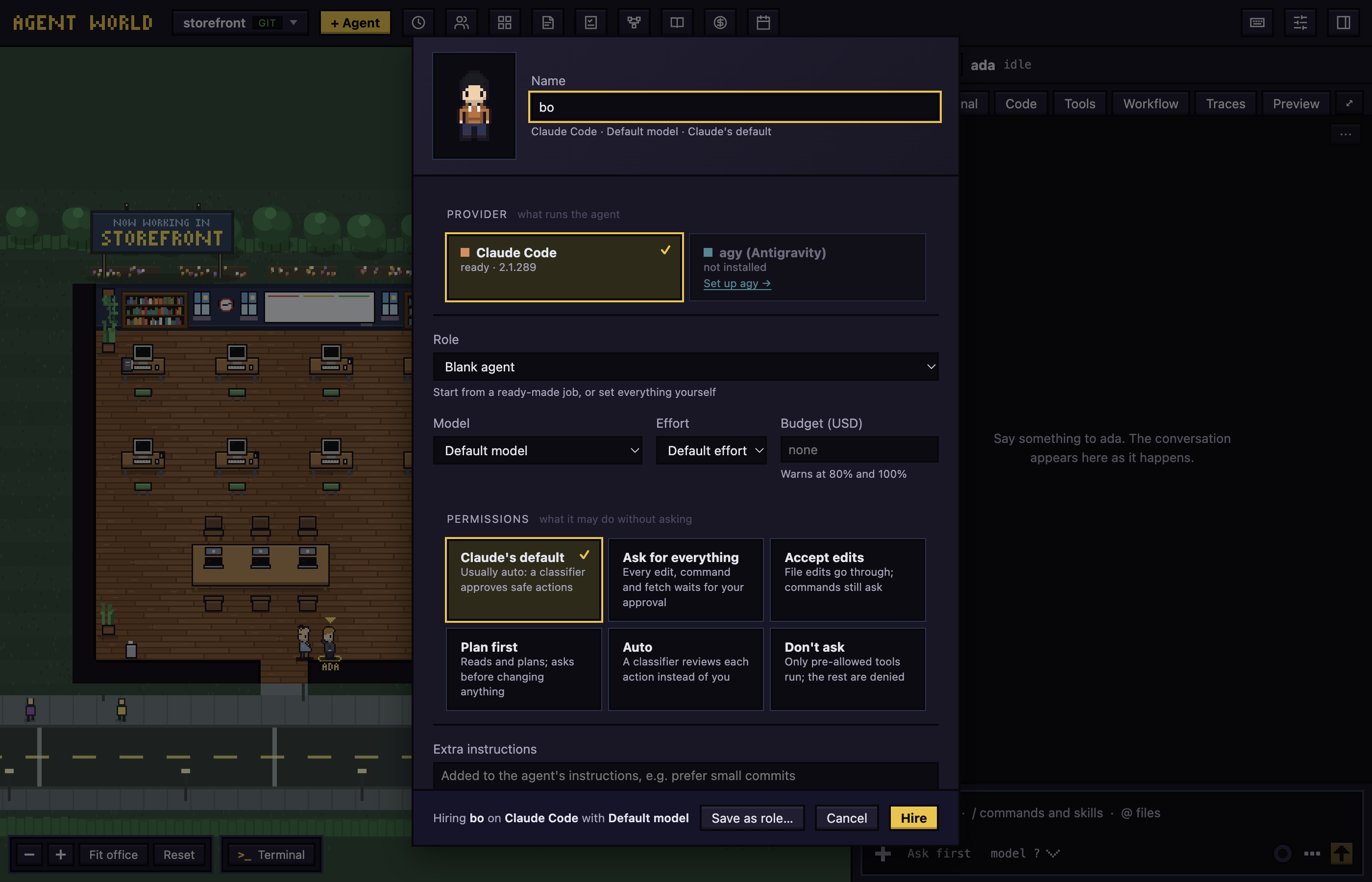
Pick a folder, name an agent, choose a role and a model. It gets its own git branch.

The hire form: a name, a role, a model, and how much the agent may do without asking
02

Watch

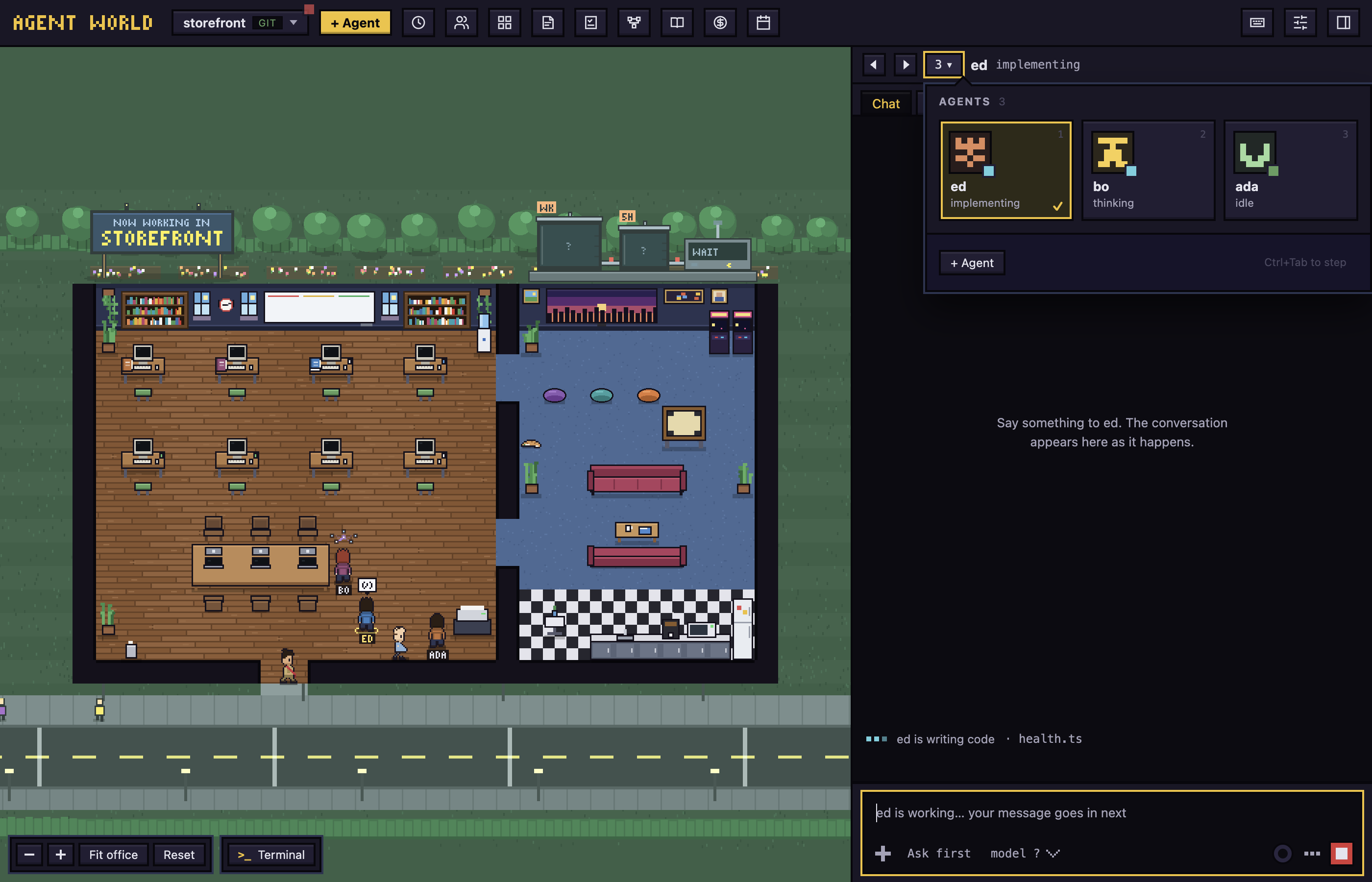
The character thinks, runs, delegates or waits. A red mark says who needs you.

The agents panel open: a tile for each agent with its picture, name and state
03

Step in

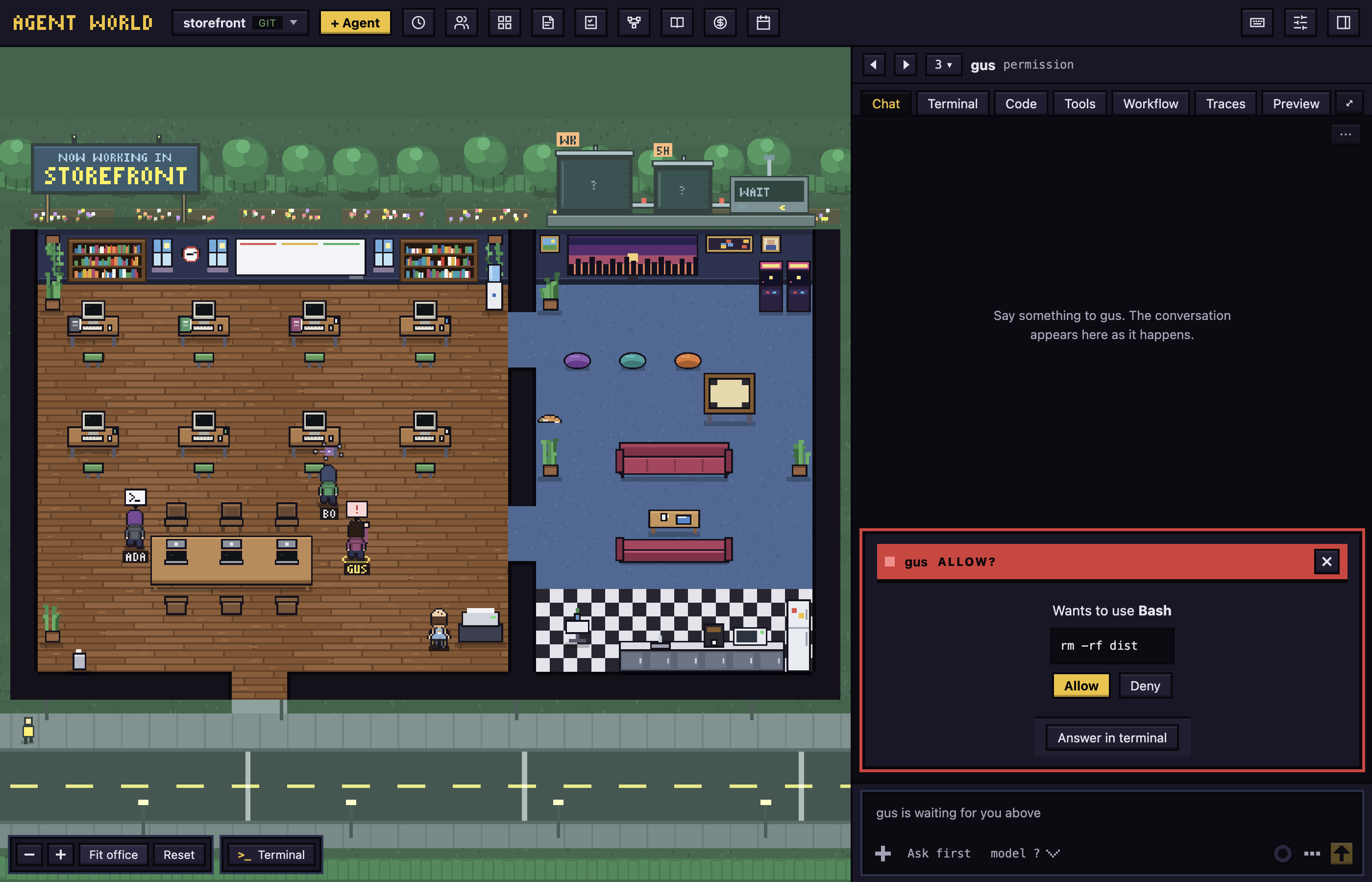
Approve a permission, answer a question, read an edit as a diff.

A permission request from an agent
04

Land it

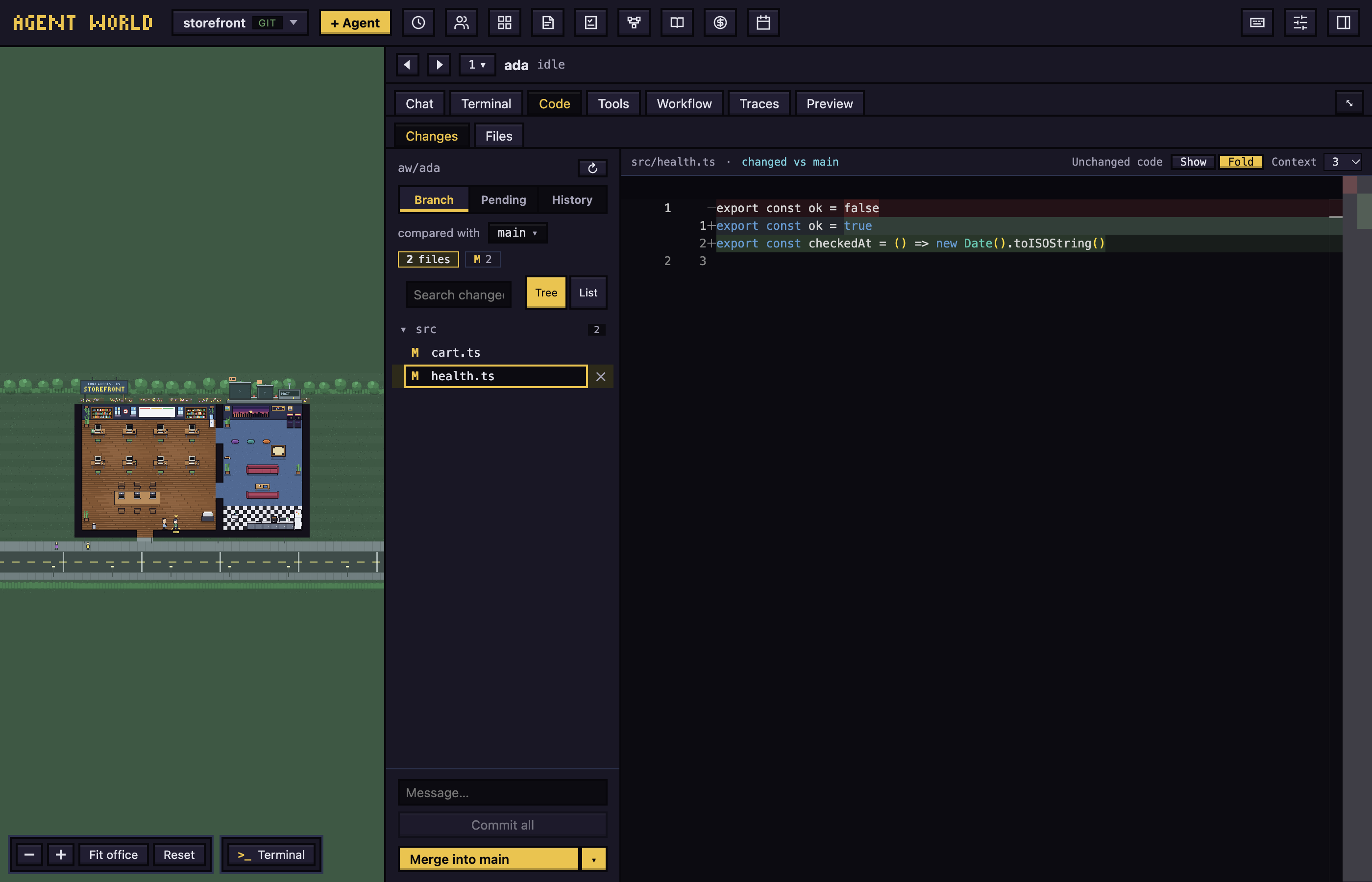
Review the changes and history in the Code tab, then merge.

The Code tab with the changes of an agent

Install in four steps

1 · Download

The arm64 dmg for Apple silicon, the x64 one for Intel. Faster from the mirror: arm64, x64.

2 · Open Anyway

macOS 15 and later: System Settings › Privacy & Security. Homebrew skips this step.

3 · Sign in once

Setup installs Claude Code and has you sign in, in a terminal inside the app.

Getting started has all four, with the screens.

Read the docs

Use it

The user guide, task by task, with screens.

  • Getting started and installing
  • The office, chat and code
  • Workflows and todos

Open the user guide

Look under the hood

How it is made, and how to help.

  • Providers and remote control
  • Workflows design and the design system
  • Contributing, releasing and the changelog

How it works