Chat and dialogs
Talk to an agent in its Chat tab, read what it did, and answer when it asks you something.
Send a message
- Select an agent and open its Chat tab (see The office).
- Type, and press Enter. Shift+Enter starts a new line.
The reply appears with the agent's name, a Copy button and how long it worked. If the agent is asleep, click the Wake button instead (see Wake an agent that is asleep).
To find your way in a long conversation:
- Show earlier loads older messages. Latest brings you back to the end, and so does ⌘↓ (Ctrl+↓) wherever you last clicked, except in the message box, where it moves the cursor. ⌘⌥↓ (Ctrl+Alt+↓) works from the message box too.
- Cmd+F (Ctrl+F elsewhere) searches.
- Conversation tools (⋯, top right) has Search, Save notes and Copy as Markdown.
- Select words in a reply and click the button over them, such as Ask ada, then Add: the words join your message as a quote. ⇧⌘L (Ctrl+Shift+L) does what that button does from the keyboard: in a reply it opens the same box; in a file, the terminal and the code editor it adds the selection to your message at once.
The tool cards
Everything the agent does is a card. Commands, reads and searches in a row fold into one card ("Ran 4 commands"); click it to open it. An edit is a diff; click the file's name to open it (see Code and preview).
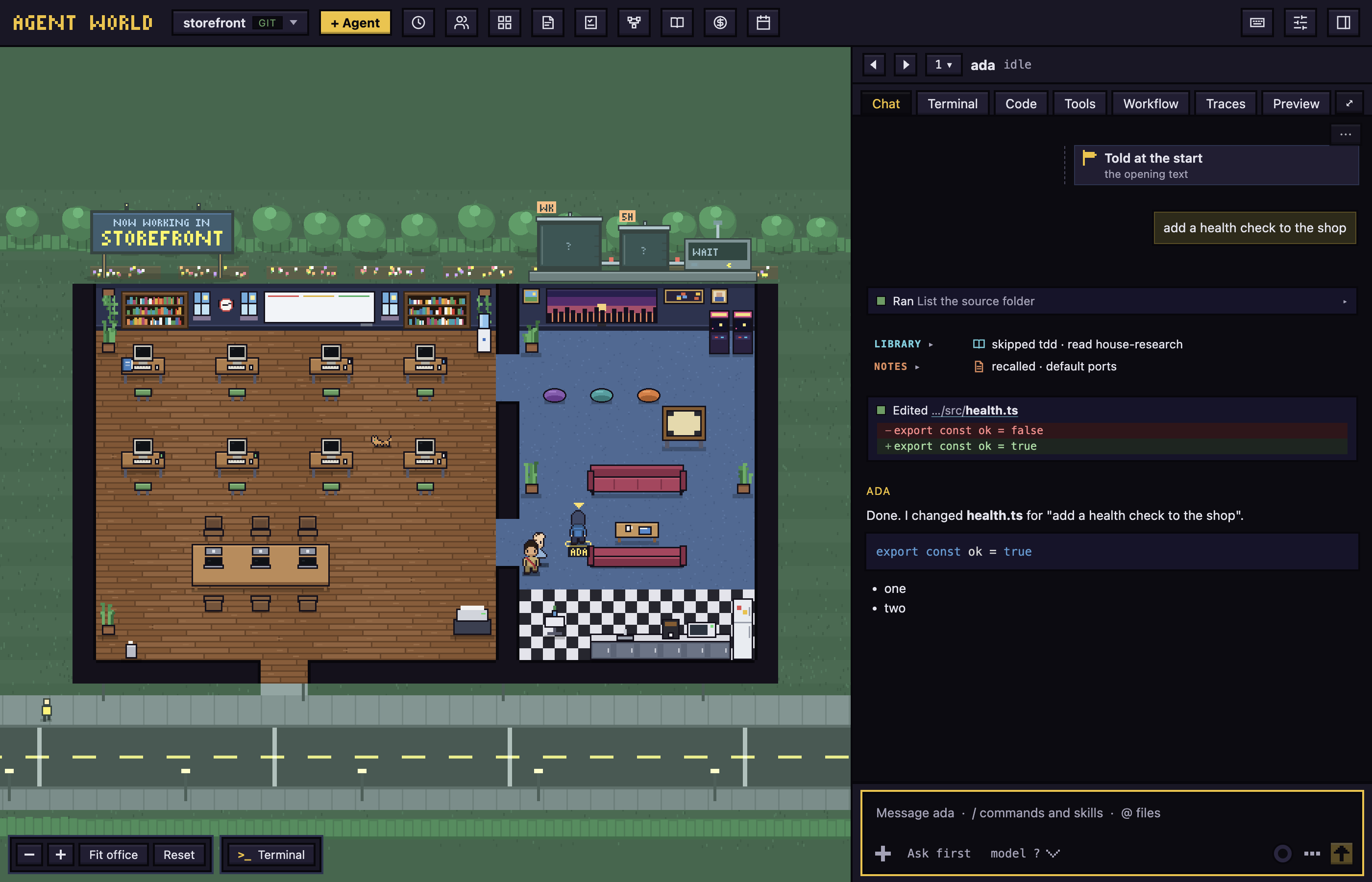
The agent's calls to Agent World's own tools fold into a row for each area: Workflow (Workflows), Todos (Todos), Library (Library and playbook) and Notes. Click a row to open a line for each call, then a line, then Call details. A line about one task has a todo#N ↗ chip that opens that task on the Todos board; a subtask's line reads todo#2 › todo#3, and a click on the first number opens the task it is part of. A todo#N an agent writes in a reply is a chip with the task's state and title, and a subtask's chip reads todo#2 › todo#3 the same way. A button such as "2 commands running" above the box lists them with Stop.
Diagrams and forms
An agent can draw a diagram in its reply (a flowchart or a sequence diagram) and ask with a form instead of a list of questions. Nothing is set up for it: the agent just does it.
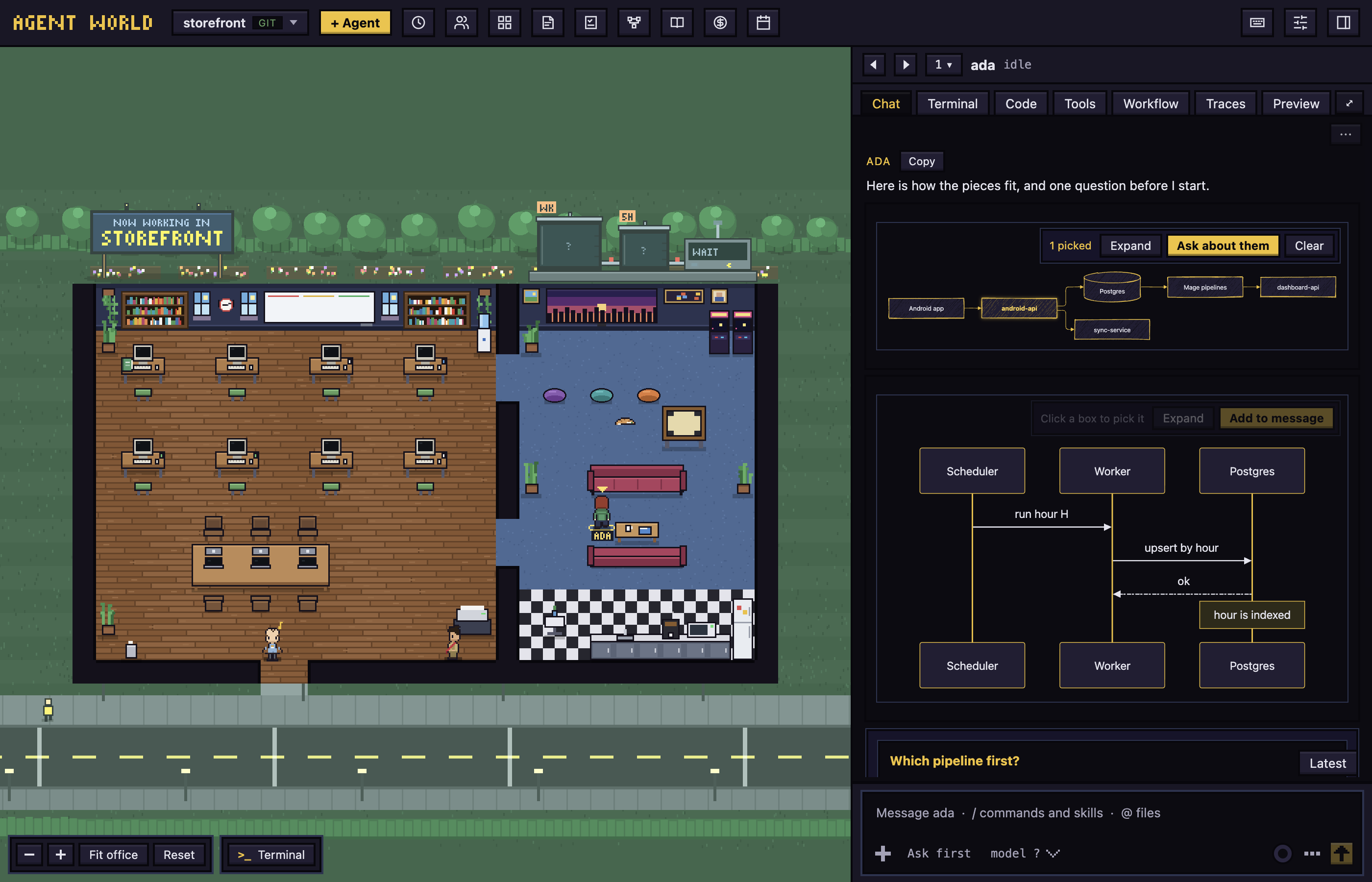
- A diagram is a picture in the chat. A click on a box picks it (another click picks another), and Ask about them adds the picked boxes, with the diagram, to your message. Add to message adds the whole diagram. Clear lets go of the picks.
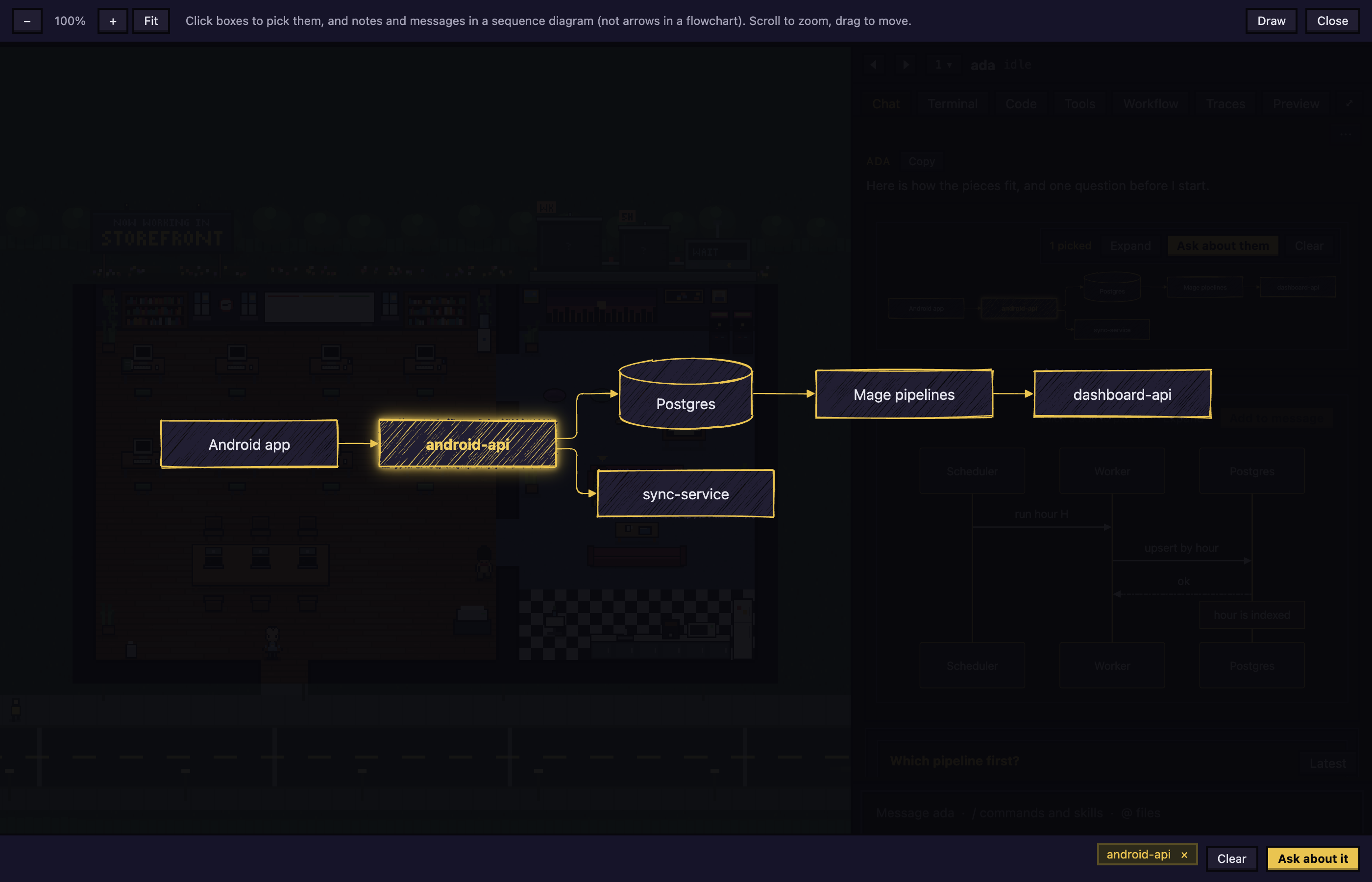
- Expand, or a click on the empty part of the diagram, opens it large. Zoom with the buttons or the scroll wheel (Fit goes back to 100%), pick boxes, notes or messages to ask about (an arrow cannot be picked), and draw on it (Draw, or E). Let go of a name takes a pick away.
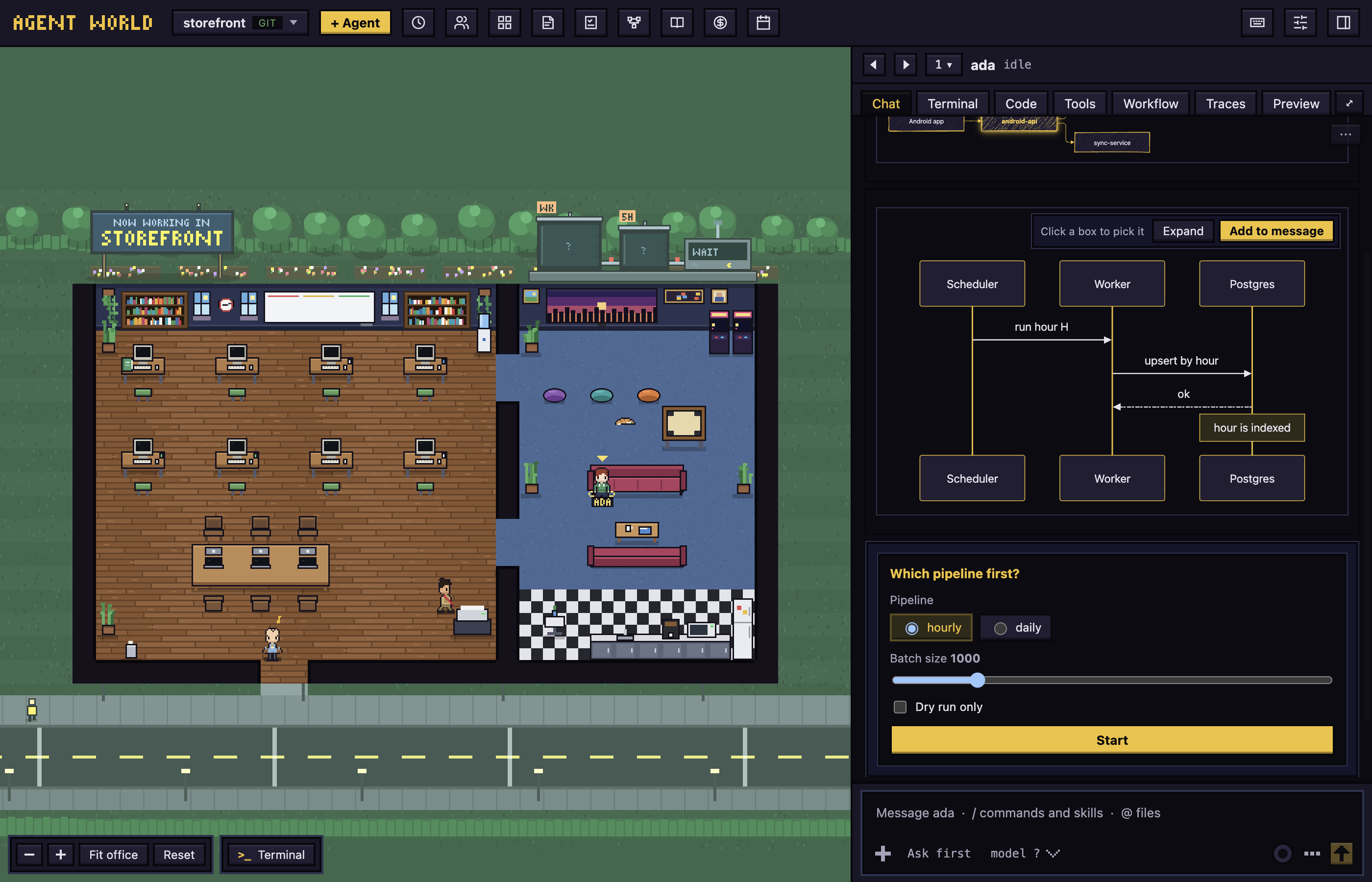
- A form is a card of fields (choices, a slider, boxes to tick) with a button. The fields start as the agent set them. Press the button and the agent is told what the form held when you pressed it. Your answer shows as a sent card with the form's question and each field in words (the label of what you picked, yes or no, what you typed); What the agent got under it unfolds the text the agent was sent. A form answers once: its button is greyed afterwards.
The message box
- / opens the agent's commands and skills. Tab or Enter completes.
/helpshows them all. - @ opens the files and folders of the agent's folder.
- Markdown is drawn as you type it: a heading is big,
-is a bullet,>a quote, and bold, italic andcodelook like themselves. The marks are hidden on every line but the one the caret is in. Commands, plugin skills and files are tinted wherever they are in the message. What is sent is the text as you typed it.
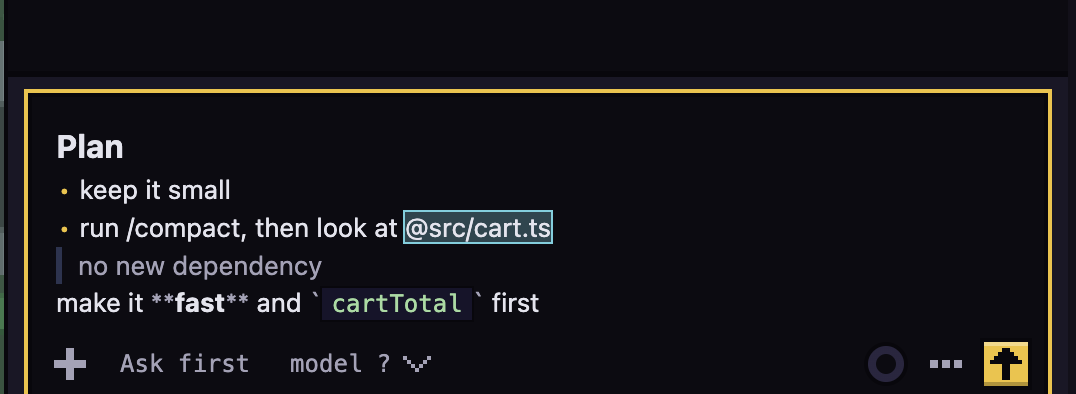
- ! at the start of a message runs it as a shell command.
- Pictures and files: click Attach (the +), paste a picture, or drop files on the box. Click a picture's thumbnail, then Draw (or press E), to mark it up, then Save.
- Up Arrow brings back your earlier messages; Ctrl+R searches them.
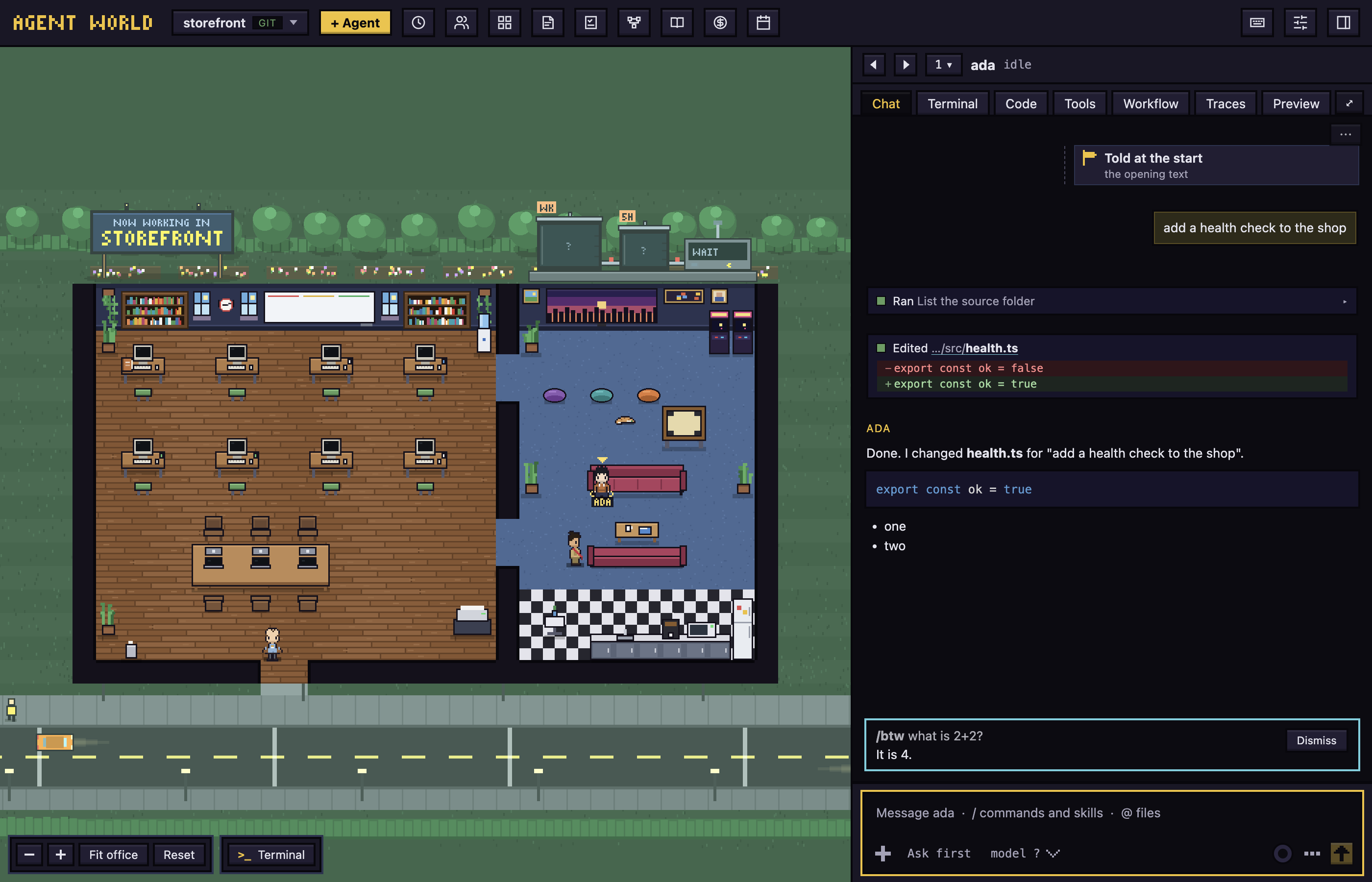
/btwis offered in the command list when you type/. Type/btwand a question: the answer shows in a Side question card with Dismiss, and the agent's own work is not interrupted.
Permission modes
The mode button under the message box says how much the agent may do without asking:
- Ask first (grey): asks before edits and most commands.
- Edit automatically (gold): edits go through; commands still ask.
- Plan (cyan): reads and plans, and changes nothing until you approve the plan.
- Auto (orange): a classifier approves the safe actions.
- Don't ask (purple): only pre-approved tools run; the rest are denied.
To change it, click the button and pick one, or press Shift+Tab in the box. Some changes restart the agent on the same conversation, so they work only between turns.
Queue, send now and stop
- You can type while the agent works. The message shows "Queued: sends when the agent finishes its current step".
- Send now (shown when the box has text) interrupts the agent and sends it.
- To stop the agent, click Stop or press Esc. This also denies any permission request it had open. If nothing has come after your last message, the message returns to the box.
Rewind
To go back to before one of your messages, click Rewind under it (not shown while the agent works).
- Claude Code asks what to restore, as a card in the chat. Answer it.
- The message's words are back in the message box to edit and resend.
This is not the Weekly Rewind button in the top bar.
Dialogs
When an agent needs you, a card with a red tag appears over the message box in the Chat tab. If you last chose the Terminal tab, a pop-up box opens instead.
To put a card away, click its ✕ or press Esc. The agent keeps waiting, and a line such as "ada is waiting for you · allow?" has Show to bring the card back.
ALLOW? The card says "Wants to use" and a tool, with what it will do. Click Allow or Deny. After 5 minutes a Claude Code agent's request falls back to Claude's own dialog in its terminal.
PLAN The card shows the plan. Click Approve · auto-accept edits or Approve · review each edit, type in "What should change?" and click Keep planning, or click Reject plan, which does what Esc does in the terminal.
QUESTION One page for each question, then a review page.
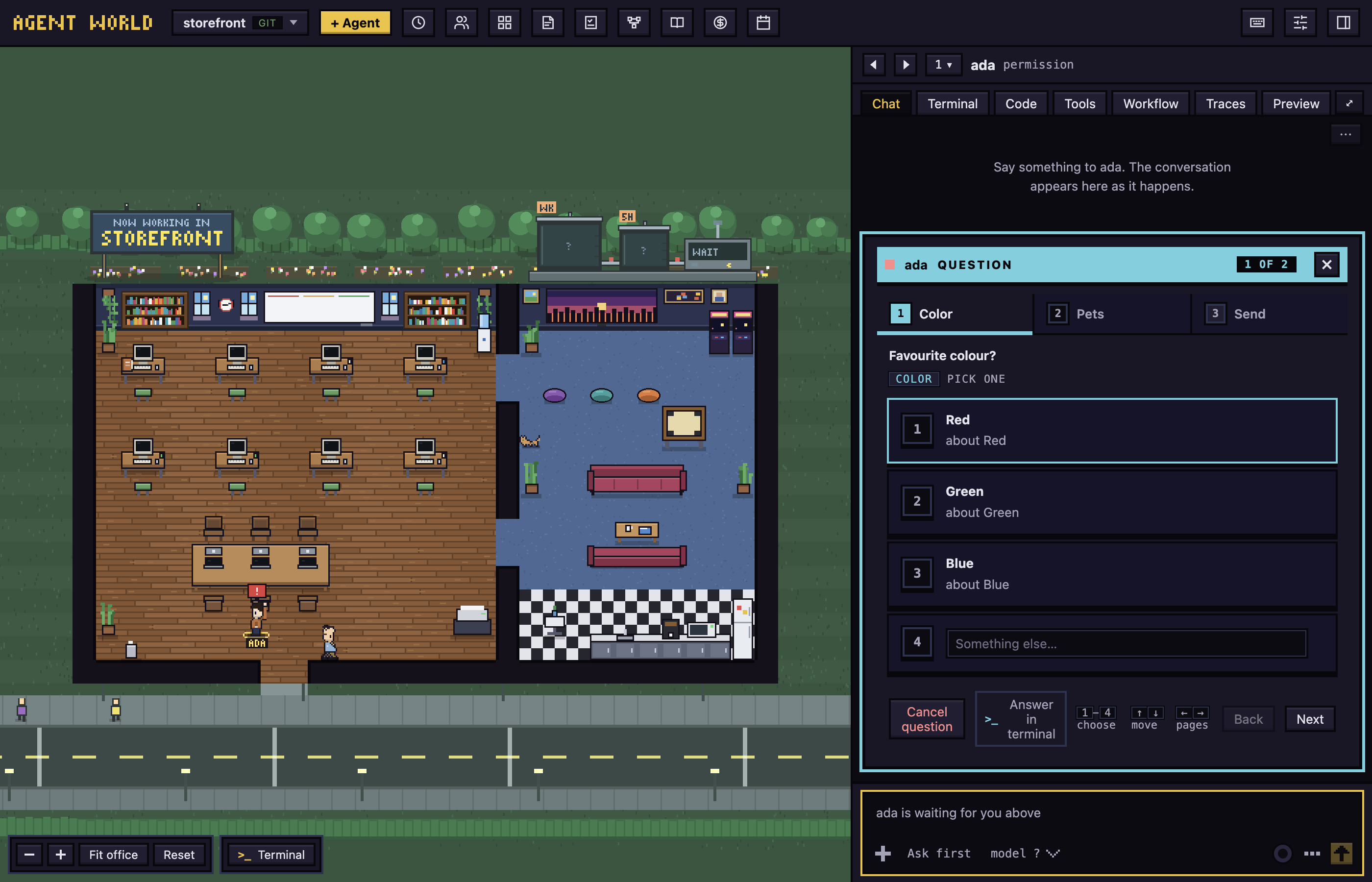
- Click an answer or press its number. "Something else…" takes your own words.
- Next turns the page and reads Review on the last. Check your answers, then click Send answers.
- Cancel question declines it, as Esc does in the terminal. ✕ only puts the card away.
TRUST? "Trust this workspace before the agent starts?" Click Trust folder to say yes or Exit to say no.
ASKS YOU The agent program's own menu, with a button for each option. Cancel appears only where the program's Esc does something. A new Claude Code's first questions come this way. A sign-in page that waits for a code has Open terminal instead.
Answer in terminal is at the foot of every card. It takes you to the agent's Terminal tab to answer the program's own dialog. From the chat it also makes Terminal the tab agents open on, until you click Chat again.
The model button, the ring (Context and usage, with Compact) and More actions (Review, Clone, Hand off…, Restart agent, Remove agent and more) sit under the box.
Restart an agent
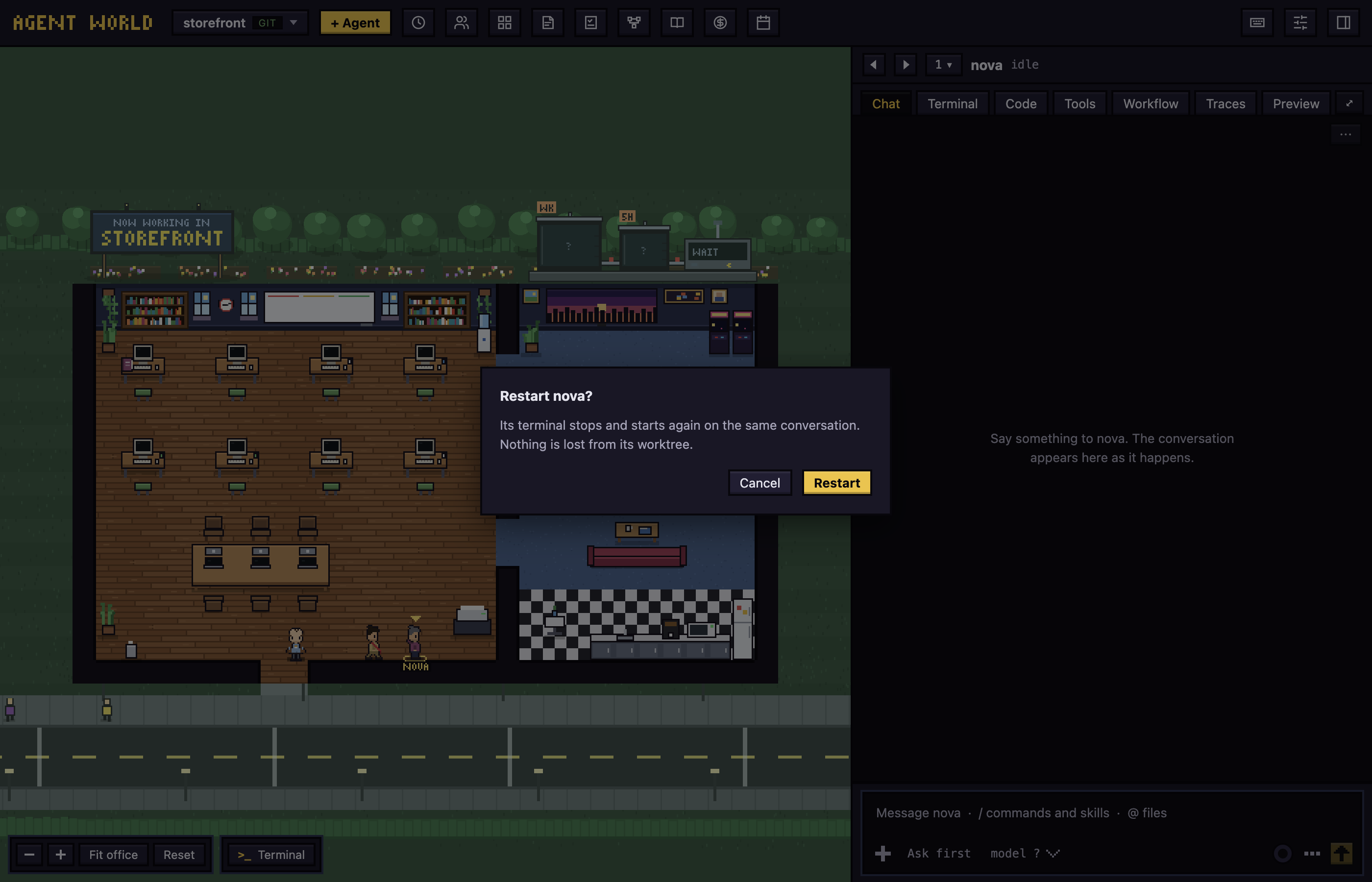
More actions, then Restart agent, asks "Restart name?" first. Restart starts the program again on the same conversation (the agent never leaves the office); Cancel changes nothing. Use it when an agent's program is stuck or has kept an old setting.
Next: Code and preview