Library and playbook
Keep skills, instructions and prompts once, and say which of them each agent is told, and when.
What the library holds
One shared shelf for every project and both programs (Claude Code and agy). It holds skills (a folder with a SKILL.md), instructions and prompts. Each has a name, a one-line description and the text an agent reads. Items live in ~/.agent-world/library by default.
The playbook says how an agent gets an item. An item does nothing until a playbook rule picks it.
Open the library
Click Library in the top bar. Its tabs are Shelf, Playbook and Reached for.
If the button says Library (off), open it and click Open Settings → Features, then turn on Library and playbook. Your items and playbooks are kept while it is off, and agents are told nothing from them.
Put items on the shelf
On the Shelf tab:
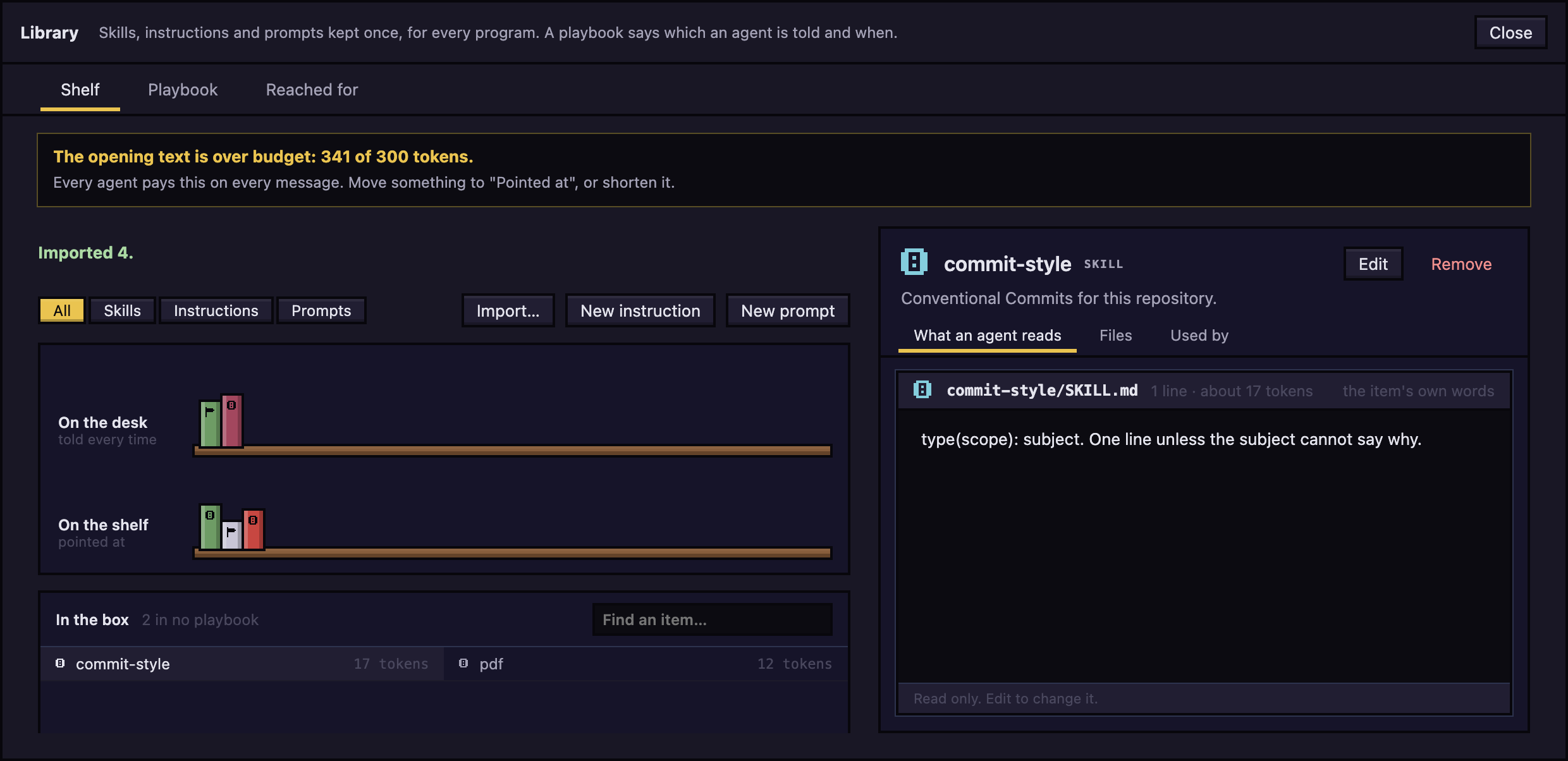
- To copy skills you already have: click Import…, tick the skills you want and click Import N selected. It lists skills found in
~/.claude/skills, the~/.geminiskill folders, the open project's.claude/skillsand.agents/skills, and enabled Claude plugins. Originals stay where they are. - To write an instruction: click New instruction, fill in the name, the one line and Text an agent reads, then click Save.
- To write a prompt: click New prompt and do the same.
Click an item to read it, Edit to change it, or Remove to delete it from the library. Use Find an item… to search In the box, the items that are in no playbook. Items On the desk are told every time. Items On the shelf are pointed at.
Choose what agents are told
On the Playbook tab:
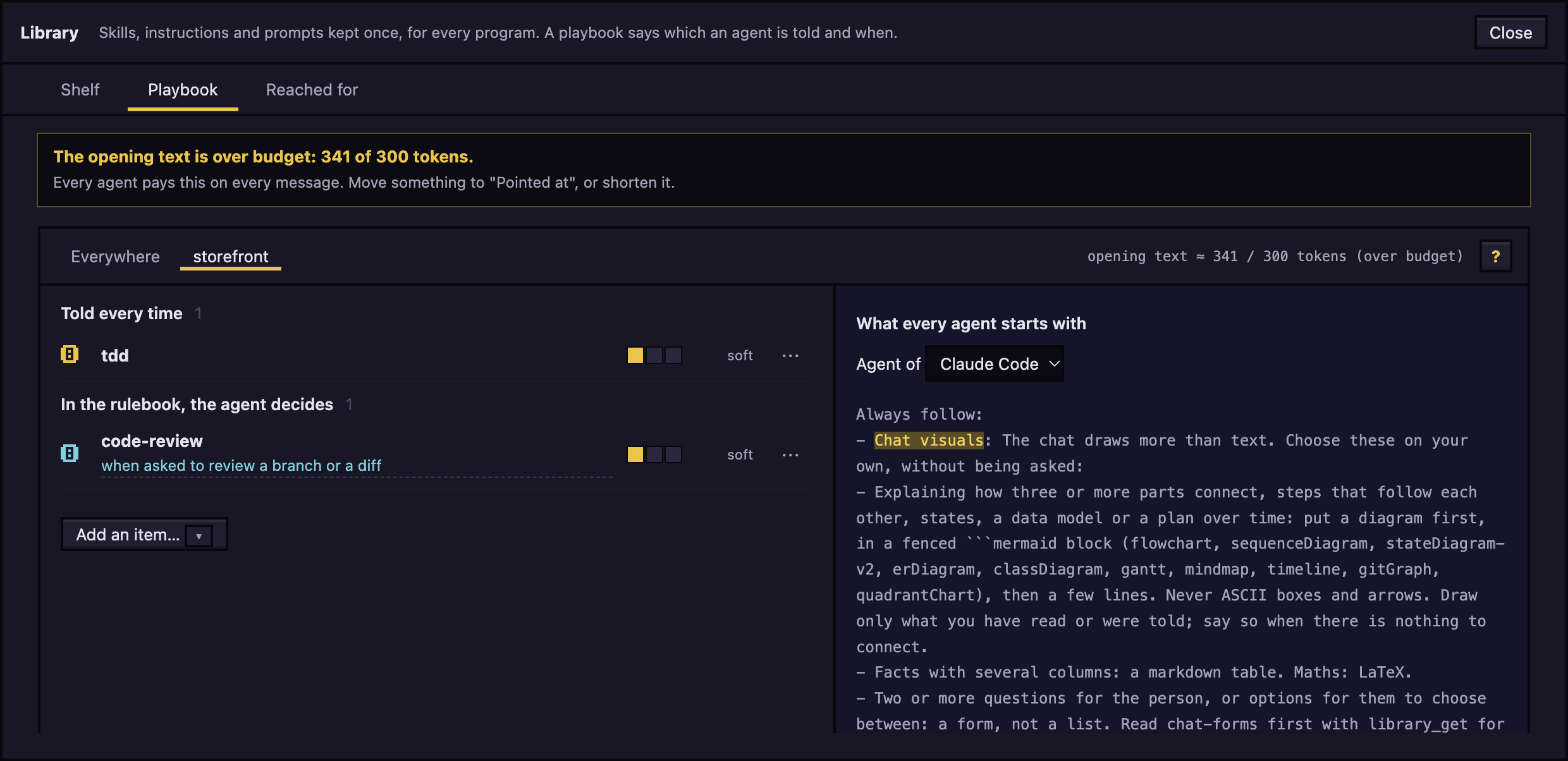
- Pick a scope: Everywhere, or the button named after the open project's folder. The project's rule wins over Everywhere for the same item.
- Click Add an item… and click an item. It is added as Pointed at, soft.
- To change how it is used, click ⋯ on its row and choose Told every time, Pointed at, By a step or Off. Remove from playbook takes it out.
- For Pointed at, write the "When to use" sentence on the row: one plain sentence the agent can judge against its work, such as "failing tests".
- Set the firmness with the three-step gauge: soft, medium or hard.
What the modes mean:
- Told every time: the item's words are in the agent's opening text.
- Pointed at: only the "when" line is in the opening text. The agent decides whether to read the item.
- By a step: a workflow step puts the item in.
- Off: never put in front of an agent.
A soft rule is only in the opening text. A medium or hard rule is also named in a short line sent now and then with your messages. hard also asks the agent to say, with library_skip, why it passed over a rule that could apply. Click ? for the glossary.
The right half shows What every agent starts with for the program you pick under Agent of, plus It can ask for, Reminder and Who gets this. The header shows opening text ≈ N / 300 tokens, and a notice appears over 300.
An agent keeps the text it started with. After you change a playbook, click Restart N agents in the notice to apply it.
The guide to Agent World
The Library holds one skill the app makes itself, Agent World guide, in the Agent World group of Add an item…. Its pages are these pages: the app copies the guide that ships with it, so what an agent reads and what you read on GitHub is the same text. The Everywhere playbook has a Pointed at rule for it, "the user asks how to do something in Agent World", so an agent reads the page first instead of answering from memory. Take the rule out and it stays out.
Tools agents call
| Tool | What it does |
|---|---|
library_index |
Lists the items the playbook gives this agent. |
library_get |
Reads one item by id. |
library_search |
Searches those items by a few words. |
library_skip |
Says an item does not apply, with a reason. |
An agent can read only items in its playbook. Claude Code also gets the playbook's skills as skills it can load itself. For agy, connect it under Settings > Message box so its messages carry the line too.
See what the library did
- In the chat, notes under a message say what the library did, such as Told at the start, Rulebook sent, or an item read or passed over. Click a note to see the exact words.
- On an agent, the Library tab shows What it was told and What it did. It appears once the library has done something for that agent.
Reached for
The Reached for tab judges each item on the prompts that looked related to it, not on every time the rulebook reminder named it (an agent is told to say nothing about a rule that does not apply, so most reminders can only end in silence). Under each name is how often it was reminded; the bars are related prompts, how often the item was read then (any time later in that session), and said no. The verdict is one of: most said no (the "when" is too wide: make it narrower), passed over in silence when it applies (make it firm or a step), fair, working, or too few to judge. Only whether a prompt looked related is kept, never the prompt. Use Program to switch between Both programs, Claude and agy. Click a row to see what agents said when they passed it over.
To fix a flagged row, click Write a when (Write a narrower when when most said no), Make it firm or Make it a step.
What it costs
The opening text costs up to about 300 tokens once per session, and a message that points at an item about 60. Settings > Features has the estimates.
Next: Todos